
For Landlords
Landlord resources: list smarter, rent faster
Practical tips, tools and how-tos for landlords and property managers who list on Rent Duck, from writing a listing that stands out to syncing a whole portfolio automatically.

Your Rent Duck toolkit
Post a listing
Add photos, rent and details in a few minutes. Basic listings are free.Sync from your software
Connect a feed and let your listings update themselves.Embed on your website
Show your Rent Duck listings on your own site as a mini site.Track your leads
See every inquiry sent through Rent Duck in one place, along with your invoices.Find a property manager
Get matched with management companies that serve your area.Read the blog
News, ideas and advice for owners, renters and managers.
How to write a rental listing that gets inquiries
Renters scroll fast. A clear title, great photos and complete details are what make them stop and reach out.
Lead with a specific title
Say what it is and why it's great: "Updated 3 bed, 2 bath home with fenced yard near downtown" beats "House for rent."Take photos that sell the space
Shoot in daylight with lights on, and step back so each photo shows the whole room. Your thumbnail is cropped to a square, so avoid close-ups for the first photo. When you upload, drag the blue box to choose exactly what the thumbnail shows, and save detail shots for the second photo onward.Fill in every detail
Rent, deposit, availability date, bedrooms, bathrooms, square footage, pet policy, parking and included utilities. Complete listings answer questions before renters have to ask.Price it right
Compare similar rentals nearby on Rent Duck. A well-priced listing gets more inquiries and fewer vacant days than one that sits.Respond quickly
Renters often contact several places at once. Answering the same day keeps you at the top of their list.
Fair housing reminder: describe the property, not the person you want to rent to. Federal law prohibits housing discrimination based on race, color, religion, sex, national origin, familial status or disability, and many states and cities protect more groups.
Get more eyes on your listing
Listing on Rent Duck puts your property in front of renters, and a little promotion goes a long way:
- Upgrade to featured. Featured listings appear on the home page and among the top results in their category for a set number of days.
- Share your listing. Post the link on social media and email it to friends, family and past tenants.
- Put up a sign. A "For Rent" sign on the property still works, especially for local renters.
- Keep it current. Update photos and pricing if a listing isn't getting activity.
Choosing a listing plan
Every account can list for free. Paid plans give your listings higher placement than Basic listings. You'll see current pricing, and can enter a promo code, when you post a listing.
Basic Listing
Free.
A great way to get started. Basic listings get the least exposure to renters browsing the site.
Pay for Leads Only
No upfront cost. Pay only when you get a lead.
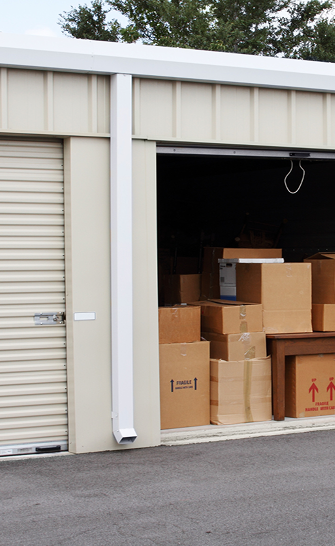
Best for hard-to-lease listings or for trying Rent Duck with zero risk. Typically best for commercial, storage and warehouse space.
Volume Leads
Small weekly fee per listing, low cost per lead.
Built for companies with many listings that want the lowest average cost per lead. Typically best for residential and vacation rentals.
Sync listings from your property management software
If you manage more than a handful of units, let your software do the work. Rent Duck reads your listings feed on a schedule, adds new vacancies, updates changes and takes down units that are no longer available.
Supported systems
- AppFolio
- Buildium
- Rent Manager
- ShowMojo
- Tenant Turner
- Other RSS or XML listing feeds
Find your feed link
Your software's listing syndication settings provide the feed URL.Add it to Rent Duck
Go to Account → Feeds, click Add Feed and paste the link.Let it run
Your listings stay in sync with no re-typing.




Landlord FAQs
Is it free to list a rental on Rent Duck?
Yes. Every account can post Basic listings for free. Paid plans and featured upgrades are optional and give your listings more exposure.
What can I list on Rent Duck?
Any residential or commercial property that someone can rent, including homes, apartments, condos, offices, retail, industrial space, storage, vacation rentals and student housing.
How do I get more inquiries on my listing?
Use clear daylight photos, fill in every detail, price it competitively and respond quickly. You can also upgrade to a featured listing, share the link on social media and put a sign on the property.
Can Rent Duck import listings from AppFolio, Buildium or Rent Manager?
Yes. Rent Duck can sync listings from AppFolio, Buildium, Rent Manager, ShowMojo, Tenant Turner and other RSS or XML feeds. Add your feed link under Account, then Feeds.
What if my company gets a management request that isn't real?
Property management companies can dispute a hire-a-manager request from the Leads page in their account, and the Rent Duck team is notified to review it.
Have a vacancy to fill?
Post your listing on Rent Duck today. Basic listings are free.
